OpenAI Symphony: When AI Agents Run Your Sprint Board
- Stephen Jones
- Ai
- March 12, 2026
Table of Contents
We’ve spent the last two years watching AI coding assistants evolve from glorified autocomplete to genuine collaborators. But there’s been a persistent gap between “AI that helps you code” and “AI that ships features while you sleep.” On March 5, 2026, OpenAI quietly open-sourced the bridge: OpenAI Symphony.
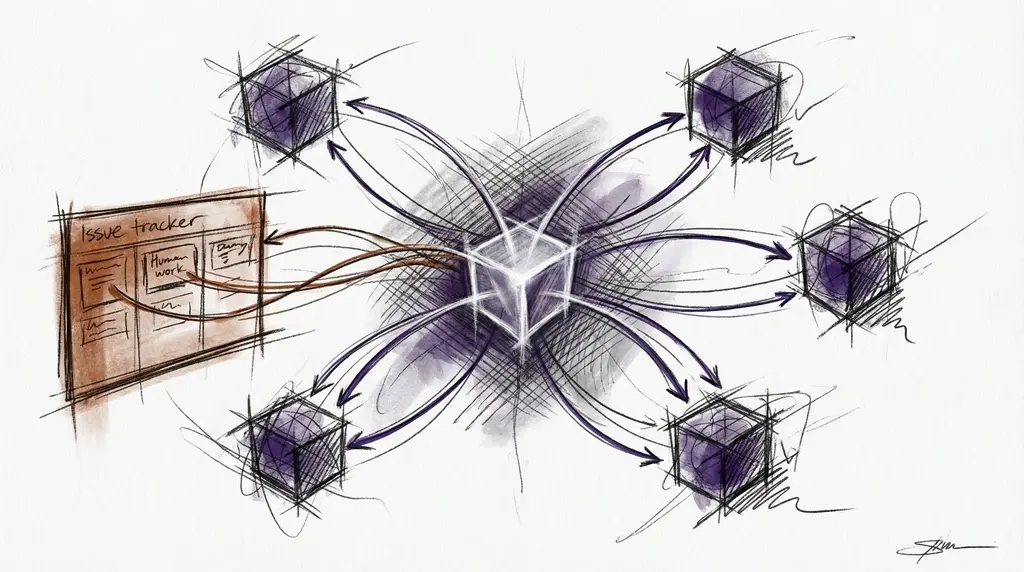
OpenAI Symphony isn’t another agent framework. It’s not a chatbot with tools. It’s a long-running orchestration service built in Elixir that polls your Linear board, creates isolated workspaces for each issue, dispatches Codex agents to do the work, and delivers pull requests - all without a human in the loop.
I’ve been digging deep into the source code, and what I found is genuinely impressive engineering. Let me walk you through it.
TL;DR: Symphony is an Elixir/OTP service that watches your Linear board, automatically assigns coding agents to open issues, manages multi-turn execution in isolated workspaces, and delivers PRs. It handles concurrency, retries, sandboxing, and distributed execution across SSH workers. It’s open source and available now.
What OpenAI Symphony Actually Does
At its core, Symphony solves a deceptively simple problem: how do you get AI agents to autonomously complete tickets from your issue tracker?
The answer isn’t just “give an LLM access to your codebase.” It requires orchestration -managing concurrency, isolating workspaces, handling failures, respecting rate limits, and knowing when to stop. Symphony does all of this as a persistent service.
Here’s what the architecture looks like:
    graph TB
	    subgraph "Linear Issue Tracker"
	        L1[Todo Issues]
	        L2[In Progress Issues]
	        L3[Done / Closed Issues]
	    end

	    subgraph "Symphony Service (Elixir/OTP)"
	        O[Orchestrator<br/>GenServer Polling Loop]
	        WS[WorkflowStore<br/>Config Hot-Reload]
	        D[Status Dashboard<br/>Phoenix LiveView]
	    end

	    subgraph "Execution Layer"
	        AR1[AgentRunner #1]
	        AR2[AgentRunner #2]
	        AR3[AgentRunner #N]
	    end

	    subgraph "Isolated Workspaces"
	        W1["Workspace MT-123/<br/>git clone + deps"]
	        W2["Workspace MT-124/<br/>git clone + deps"]
	        W3["Workspace MT-125/<br/>git clone + deps"]
	    end

	    subgraph "Codex Agents"
	        C1[Codex App Server #1<br/>JSON-RPC 2.0]
	        C2[Codex App Server #2<br/>JSON-RPC 2.0]
	        C3[Codex App Server #N<br/>JSON-RPC 2.0]
	    end

	    L1 -->|"Poll every 30s"| O
	    O -->|Dispatch| AR1
	    O -->|Dispatch| AR2
	    O -->|Dispatch| AR3
	    AR1 --> W1
	    AR2 --> W2
	    AR3 --> W3
	    W1 --> C1
	    W2 --> C2
	    W3 --> C3
	    C1 -->|"PR + State Update"| L3
	    C2 -->|"PR + State Update"| L3
	    WS -.->|"WORKFLOW.md"| O
	    D -.->|"PubSub"| O
Six distinct layers work together:
- Policy Layer -Your team’s rules, encoded in a
WORKFLOW.mdfile that lives in your repo - Configuration Layer -Typed runtime settings parsed from YAML front matter
- Coordination Layer -The Orchestrator managing polling, concurrency, and retries
- Execution Layer -Workspace and agent subprocess management
- Integration Layer -Linear API via GraphQL
- Observability Layer -Structured logging and an optional Phoenix LiveView dashboard
Why Symphony Uses Elixir: The BEAM Advantage
The choice of Elixir isn’t cosmetic. The BEAM VM’s OTP supervision trees give Symphony exactly what an agent orchestrator needs: fault-tolerant process isolation. When one agent crashes (and they will), it triggers a supervised restart with full error context while every other agent continues working.
This is the kind of thing you’d spend months building in Python or TypeScript -process isolation, supervision strategies, graceful degradation. In Elixir, it’s a first-class language feature.
The Orchestrator runs as a GenServer with a send_after polling loop. No database required. State is rebuilt from Linear on every restart. That’s remarkably clean for a system managing dozens of concurrent agents.
The Orchestrator: A State Machine for Your Sprint Board
The heart of Symphony is SymphonyElixir.Orchestrator -a GenServer that maintains an in-memory state machine tracking every issue it knows about:
%State{
  poll_interval_ms: 30000,
  max_concurrent_agents: 10,
  running: %{},           # Currently executing issues
  completed: MapSet,      # Finished issues (prevents re-dispatch)
  claimed: MapSet,        # Issues in retry queue
  retry_attempts: %{},    # Exponential backoff tracking
  codex_totals: %{...},   # Token usage accounting
  codex_rate_limits: nil
}
Every 30 seconds, the Orchestrator runs through a dispatch cycle:
    flowchart TD
	    A[Poll Timer Fires] --> B[Fetch Candidate Issues<br/>from Linear]
	    B --> C{For Each Issue}
	    C --> D{Already running<br/>or completed?}
	    D -->|Yes| E[Skip]
	    D -->|No| F{Under concurrency<br/>limit?}
	    F -->|No| E
	    F -->|Yes| G[Dispatch to<br/>AgentRunner]
	    G --> H[Add to running set]
	    H --> I[Task.async monitors<br/>execution]
	    I --> J{Agent completes<br/>or fails?}
	    J -->|Completes| K[Move to<br/>completed set]
	    J -->|Fails| L[Add to retry queue<br/>with backoff]
	    L --> M[Wait for backoff<br/>expiry]
	    M --> C
	    E --> C
	    K --> N[Sleep until<br/>next poll]
	    C -->|Done| N
What’s elegant here is the reconciliation pattern. The Orchestrator periodically refetches issue states from Linear. If an issue that was “In Progress” gets moved to “Done” externally (say, by a human), Symphony detects this and stops the agent. No wasted compute.
The retry mechanism uses exponential backoff with a configurable cap:
Base delay: 10 seconds
Formula: min(10s × 2^attempts, 300s)
Sequence: 10s → 20s → 40s → 80s → 160s → 300s → 300s → ...
AgentRunner: Multi-Turn Execution
Each dispatched issue gets its own AgentRunner process. This is where the work actually happens:
    sequenceDiagram
	    participant O as Orchestrator
	    participant AR as AgentRunner
	    participant WS as Workspace
	    participant CS as Codex AppServer
	    participant LI as Linear

	    O->>AR: dispatch(issue)
	    AR->>WS: create_for_issue("MT-123")
	    WS-->>AR: ~/workspaces/MT_123/
	    AR->>WS: run before_run hook
	    AR->>CS: start session (JSON-RPC)

	    rect rgba(100, 100, 180, 0.3)
	        Note over AR,CS: Turn 1 -Full Context
	        AR->>CS: turn/start (workflow + issue context)
	        CS->>CS: Read code, plan changes
	        CS->>CS: Write code, run tests
	        CS->>LI: Update issue state
	        CS-->>AR: turn/completed
	    end

	    AR->>LI: Check issue state
	    LI-->>AR: Still "In Progress"

	    rect rgba(100, 180, 100, 0.3)
	        Note over AR,CS: Turn 2 -Continuation
	        AR->>CS: turn/start (minimal guidance)
	        CS->>CS: Resume from workspace state
	        CS->>CS: Create PR, push branch
	        CS-->>AR: turn/completed
	    end

	    AR->>LI: Check issue state
	    LI-->>AR: "Human Review" (terminal)
	    AR-->>O: Done -issue completed
The multi-turn continuation pattern is one of Symphony’s smartest design choices. On the first turn, the agent receives the full prompt: the WORKFLOW.md template rendered with issue context. But on subsequent turns, it gets a minimal continuation prompt -essentially “you’re still working on MT-123, keep going from where you left off.”
This works because the workspace persists. The agent can see its prior commits, its partially-written code, its test results. It picks up where it left off without re-analyzing the entire problem. Up to 20 turns by default, though this is configurable.
The Codex AppServer: JSON-RPC 2.0 Over stdio
Communication between Symphony and Codex happens over a JSON-RPC 2.0 protocol via stdio. This is not HTTP -it’s direct process-to-process communication:
// Symphony → Codex: Start a turn
{
  "method": "turn/start",
  "id": 3,
  "params": {
    "prompt": "You are working on MT-123: Add rate limiting...",
    "threadId": "thread-abc-123"
  }
}

// Codex → Symphony: Tool call request
{
  "method": "item/tool/call",
  "id": 100,
  "params": {
    "tool": "linear_graphql",
    "arguments": {
      "query": "mutation { issueUpdate(id: \"...\", input: {stateId: \"...\"}) { success } }"
    }
  }
}

// Symphony → Codex: Tool result
{
  "id": 100,
  "result": {
    "success": true,
    "output": "{\"data\":{\"issueUpdate\":{\"success\":true}}}"
  }
}
Symphony injects a linear_graphql dynamic tool into every Codex session, giving agents the ability to query and mutate Linear directly. This means an agent can update issue states, post comments, check blocked-by relationships -all without Symphony mediating every interaction.
Workspace Isolation: One Issue, One Universe
Every issue gets its own workspace directory. The mapping is deterministic:
    flowchart LR
	    subgraph "Issue Identifier"
	        I["MT-123"]
	    end

	    subgraph "Safe Mapping"
	        S["MT_123<br/>(alphanumeric + dots/hyphens only)"]
	    end

	    subgraph "Workspace"
	        W["~/workspaces/MT_123/<br/>├── .git/<br/>├── src/<br/>├── tests/<br/>└── ..."]
	    end

	    subgraph "Safety Checks"
	        SC1["Path validation:<br/>must be under WORKSPACE_ROOT"]
	        SC2["Symlink detection:<br/>canonical path comparison"]
	        SC3["Traversal prevention:<br/>no ../ or absolute escapes"]
	    end

	    I -->|"sanitize"| S
	    S -->|"mkdir + hooks"| W
	    W -.-> SC1
	    W -.-> SC2
	    W -.-> SC3
The hook system runs at key lifecycle points:
after_create: Runs when a workspace is first created -typicallygit clone,npm install, etc.before_run: Runs before each Codex turn -sync latest code, reset stateafter_run: Runs after each turn -cleanup, logging, artifact collectionbefore_remove: Runs during workspace cleanup
All hooks are timeout-gated (default 30 seconds) to prevent hanging agents from blocking the system.
Security here is serious. Symphony validates that every workspace path resolves to within the configured root directory, detects symlink escape attempts via canonical path comparison, and rejects any traversal that would break the isolation boundary.
WORKFLOW.md: Configuration as Code
This is where Symphony gets opinionated in the best way. All configuration lives in a single WORKFLOW.md file -YAML front matter for settings, Markdown body for the agent’s prompt template:
---
tracker:
  kind: linear
  endpoint: https://api.linear.app/graphql
  api_key: $LINEAR_API_KEY
  project_slug: my-project-abc123
  active_states: [Todo, In Progress]
  terminal_states: [Done, Closed, Cancelled]

polling:
  interval_ms: 30000

workspace:
  root: ~/code/symphony-workspaces

hooks:
  after_create: |
    git clone https://github.com/my-org/my-repo.git .
    npm install
  timeout_ms: 30000

agent:
  max_concurrent_agents: 10
  max_turns: 20
  max_retry_backoff_ms: 300000
  max_concurrent_agents_by_state:
    "human review": 1
    "merging": 2

codex:
  command: codex --model gpt-5.3-codex app-server
  approval_policy: never
  thread_sandbox: workspace-write
  turn_sandbox_policy:
    type: workspaceWrite
  read_timeout_ms: 300000
  turn_timeout_ms: 900000
---

You are an autonomous software engineer working on {{ issue.identifier }}: {{ issue.title }}.

## Context
{{ issue.description }}

## Instructions
1. Read the codebase and understand the existing patterns
2. Implement the requested changes
3. Write tests for your changes
4. Create a pull request with a clear description
5. Update the Linear issue state when complete
This is versioned with your code. Every team member sees the same configuration. You can review changes to agent behaviour in pull requests. That’s a massive improvement over scattered environment variables and config files.
The per-state concurrency control is a particularly nice touch:
max_concurrent_agents_by_state:
  "human review": 1    # Serialize reviews -no race conditions
  "merging": 2         # Limited merge parallelism
  "in progress": 10    # Full parallel development
Distributed Execution: SSH Workers
Symphony isn’t limited to a single machine. It supports distributed execution via SSH workers:
worker:
  ssh_hosts:
    - "worker1.example.com:22"
    - "worker2.example.com:2222"
  max_concurrent_agents_per_host: 5
The failover logic is straightforward: try the first host, fall back to the next on failure, retry on all hosts exhausted. Each worker maintains its own workspace root, and Symphony handles remote workspace creation, Codex process spawning, and SSH lifecycle management.
For teams running intensive agent workloads, this means horizontal scaling without architectural changes.
The State Machine: Issue Lifecycle
Understanding Symphony’s state management is key to understanding how it thinks about work:
    stateDiagram-v2
	    [*] --> Candidate: Issue in active state
	    Candidate --> Dispatched: Under concurrency limit
	    Candidate --> Waiting: At concurrency limit
	    Waiting --> Candidate: Slot available

	    Dispatched --> Running: AgentRunner started
	    Running --> TurnComplete: Turn finishes

	    TurnComplete --> ContinuationCheck: Check issue state
	    ContinuationCheck --> Running: Still active + turns remaining
	    ContinuationCheck --> Completed: Terminal state reached
	    ContinuationCheck --> Completed: Max turns reached

	    Running --> Failed: Error during execution
	    Failed --> RetryQueue: Add with backoff
	    RetryQueue --> Candidate: Backoff expired

	    Completed --> [*]
The Orchestrator never assumes an issue’s state -it always refetches from Linear. This means external state changes (a PM moving an issue to “Cancelled”, a developer manually closing a ticket) are respected immediately. The agent doesn’t fight the human.
Safety and Sandboxing
Symphony takes security seriously with multiple layers:
Approval Policies range from full auto-approve (never -no human approval needed) to requiring explicit approval for every action. For most autonomous setups, you’ll use never, but the option to require human review exists for sensitive operations.
Sandbox Policies control filesystem access:
read-only: Agent can read but not modify anythingworkspace-write: Agent can only write within its workspace directoryfull-access: Unrestricted (use with caution)
Path Validation prevents:
- Directory traversal (
../../../etc/passwd) - Symlink escapes (creating symlinks that point outside the workspace)
- Writing outside the workspace root
Non-interactive mode means agents can’t stall waiting for human input. If Codex requests user input in a non-interactive session, Symphony returns a standard “no human available” response and the agent continues autonomously.
Observability: Watching Your Agents Work
Symphony includes an optional Phoenix LiveView dashboard that shows real-time status:
- Running issues with stage, age, and token usage
- Completed and retrying issues
- Throughput graphs (sparklines)
- Token tracking (input/output per agent)
Structured logging tags every event with issue_id, issue_identifier, session_id, worker_host, and workspace -making it straightforward to trace any agent’s activity through your log aggregation system.
Built-in Skills
Symphony ships with repository-local skills that extend agent capabilities:
| Skill | What It Does |
|---|---|
| land | Monitors PRs for CI, conflicts, reviews -squash-merges when green |
| pull | Fetches latest main, merges with conflict resolution |
| push | Commits and pushes with auth fallback |
| commit | Creates logical, atomic commits following team conventions |
| linear | Direct Linear GraphQL mutations for issue management |
| debug | Troubleshooting and stack trace inspection |
The land skill is particularly notable -it includes a Python helper (land_watch.py) that monitors PRs for CI completion, aggregates check results, filters Codex review comments from human ones, and handles merge conflicts. It’s a fully autonomous merge pipeline.
Symphony vs Other AI Agent Frameworks
Symphony enters a market that’s rapidly consolidating around the “ticket-to-PR” vision. GitHub Copilot’s coding agent for Jira entered public preview on the same day Symphony was released (March 5, 2026). Google’s ADK expanded integrations to include Linear, Jira, Asana, and Notion. CodeRabbit launched Issue Planner for collaborative prompt review before handoff to coding agents. I wrote about the broader multi-agent orchestration trend recently, and Symphony fits squarely into that trajectory.
But Symphony is architecturally distinct from these approaches:
- It’s a standalone service, not a vendor-locked feature within an IDE or platform
- It’s built on Elixir/OTP, giving it process isolation and fault tolerance that’s hard to replicate in other ecosystems
- It’s fully open source -you can run it on your own infrastructure, modify the orchestration logic, add new integrations
- The WORKFLOW.md contract means your agent configuration is versioned, reviewable, and team-owned
The strategic implication is significant. I explored this dynamic in why describing what you want is the real skill — and it applies directly here. As autonomous coding agents mature, the bottleneck shifts from code generation to specification quality. The teams that write the best tickets will ship the fastest. Symphony makes this explicit: your Linear board IS your agent’s task queue.
Getting Started with OpenAI Symphony
Symphony is available now. I’ve forked it here if you want to explore.
To run it:
# Clone and setup
git clone https://github.com/openai/symphony.git
cd symphony/elixir

# Install dependencies (requires Elixir + Erlang)
mix deps.get

# Configure your WORKFLOW.md with Linear API key and project
# Set LINEAR_API_KEY environment variable
# Configure Codex auth at ~/.codex/auth.json

# Start Symphony
mix run --no-halt
You’ll need:
- An Elixir runtime (the BEAM VM)
- A Linear project with issues
- Codex access (OpenAI)
- A
WORKFLOW.mdtailored to your team’s workflow
The Future of Autonomous Software Development
What excites me about Symphony isn’t just the engineering -it’s what it represents. We’re moving from “AI assists developers” to “AI is a developer that takes assignments.” The abstraction layer is rising: instead of prompting an LLM to write code, you assign a ticket and receive a verified PR.
This doesn’t replace developers. It changes what developers do. Less time writing boilerplate, more time on architecture decisions, code review, and — critically — writing precise specifications. The build vs. buy equation has shifted alongside this: when agents can produce PRs from tickets, the cost of custom tooling drops dramatically. The spec becomes the bottleneck, and that’s exactly where human judgment adds the most value.
Symphony is one of the first production-grade implementations of this vision. It’s not perfect -it currently only supports Linear and OpenAI models officially -but the architecture is clean enough that community integrations for other trackers and models are already emerging.
The future of software development isn’t AI replacing humans. It’s humans managing AI teams through the same project management tools they already use. Symphony makes that future tangible today.